Temporaryfile - No space left on device
When operating a SaaS product, dealing with files is almost unavoidable.
Customers want to download audit logs, or export service data into files like Excel.
As the service grows, We also need to handle large large files or many file-download requests come in at the same time.
This post is a postmortem and troubleshooting write-up based on issues while handling files in a Python(Django in my case) environment.
Python - TemporaryFile
TemporaryFile basically uses /tmp as temporary storage.
Since TemporaryFile implements __exit__, the file is automatically removed when the with statement exits.
In practice, this isn’t an issue for small files. However, when handling files that exceed the available space in /tmp, you may encounter the following error:
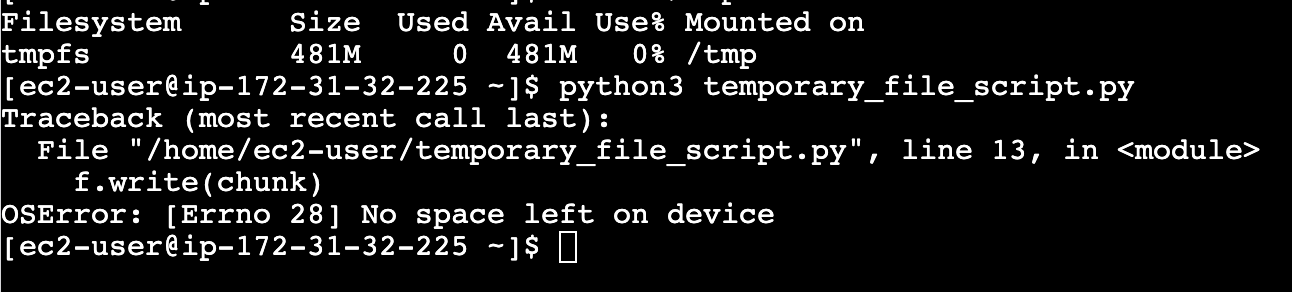
OSError: [Errno 28] No space left on device
Locally, /tmp is usually just another directory on disk, so this behavior rarely causes problems.
In cloud environments, however, /tmp is a very different story.
Production Environment Considerations
In many cloud environments, /tmp is backed by tmpfs and allocated from virtual memory rather than disk, making it much more constrained.
As a result, handling large files or multiple file-related requests concurrently can easily turn into a problem.
Disclaimer
This experiment was performed on an EC2 t2.micro instance in a controlled test environment, not in real production.
Therefore, the logs shown here may not exactly match those from a production setup.
Writing large files with TemporaryFile triggers an OSError,
but the write fails too quickly for CloudWatch to capture the /tmp disk usage spike.
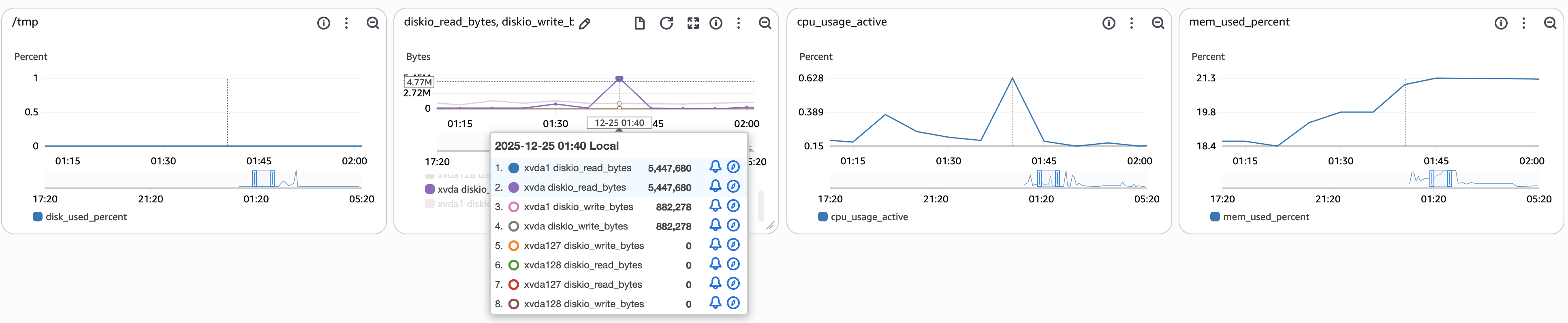
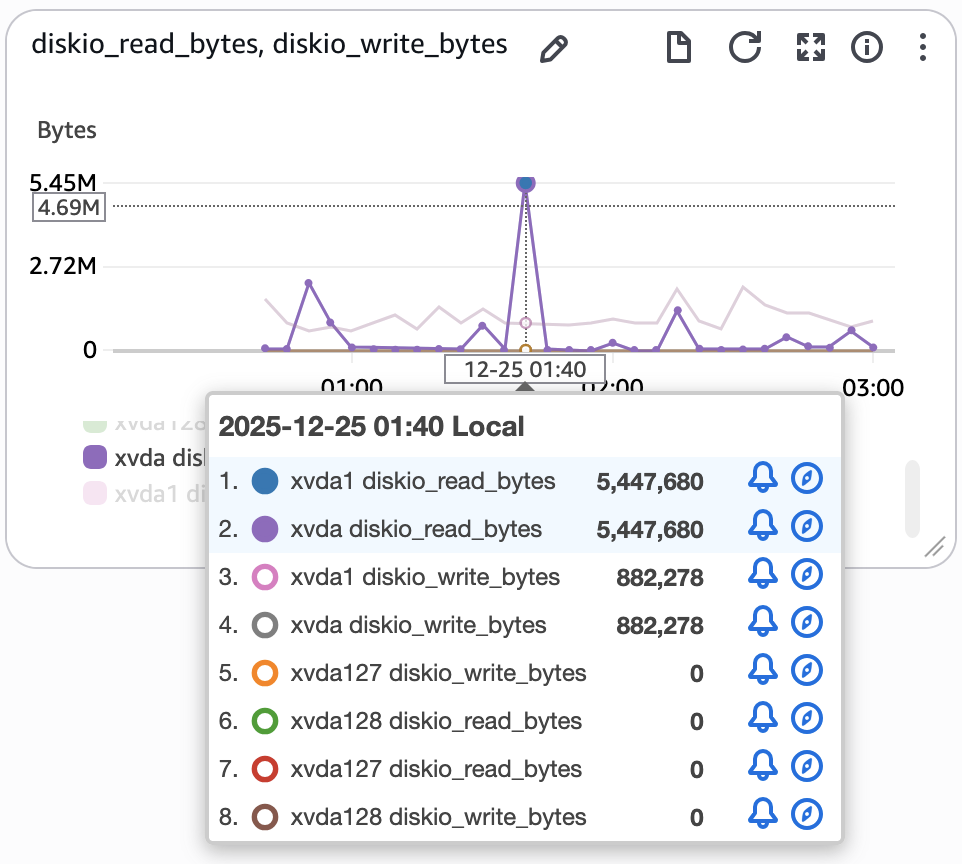
Still, the error logs and disk I/O metrics give enough signals to understand what’s going on.
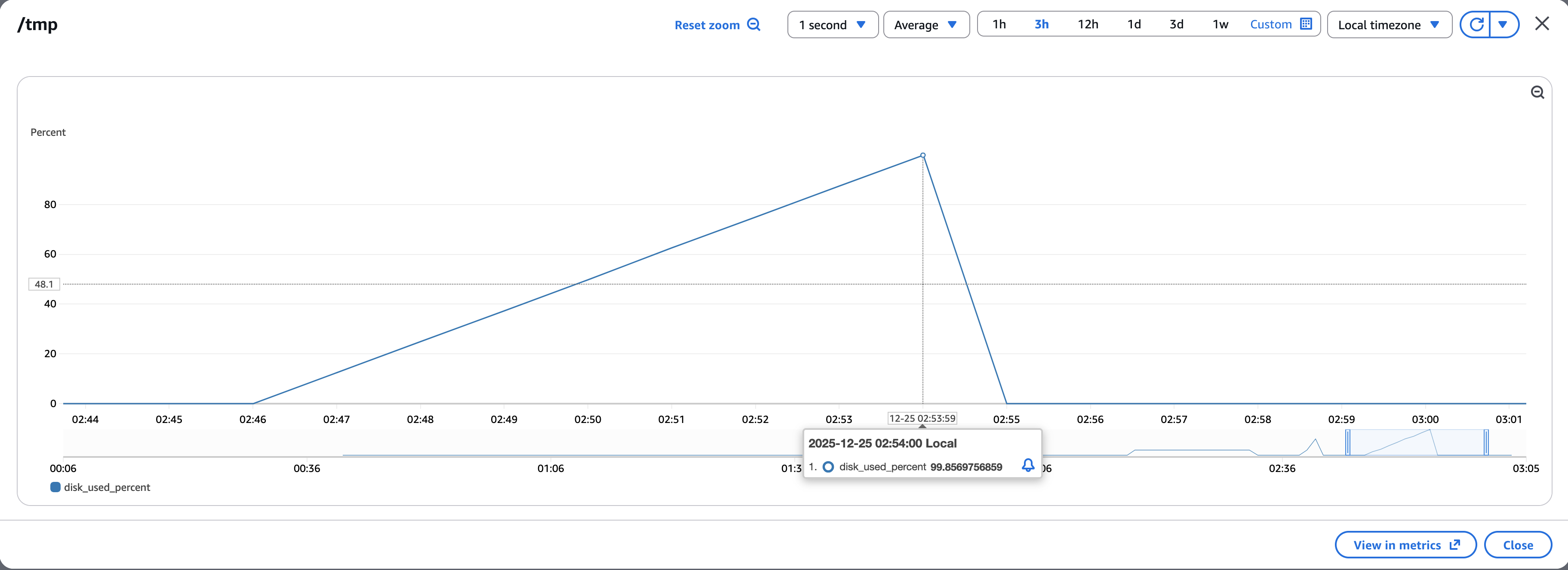
To make the issue more visible, slowed down the write process.
As shown below, /tmp disk usage rises to nearly 100%, then drops sharply once the error is triggered.
Mitigation Strategies
There are multiple ways to mitigate this issue.
Rather than immediately resorting to architectural changes like asynchronous file generation using a message queue and S3 download links, we explored other solutions.
Because, from an operational standpoint, addressing the immediate issue is just as important as long-term improvements.
TemporaryFile on Disk-Backed Storage
In most cloud environments, /tmp lives in virtual memory, which means its capacity is fairly limited.
To avoid this limitation, temporary files can be redirected to disk-backed storage.
AWS, for instance, by setting $TMPDIR to point a disk-backed directory, this issue can be resolved.
For Django applications, the same effect can be achieved by configuring FILE_UPLOAD_TEMP_DIR.
It’s important to note that FILE_UPLOAD_TEMP_DIR is specifically designed for handling file uploads. To make use of this setting, temporary files should be handled via TemporaryUploadedFile, which wraps the underlying temporary file and integrates properly with Django’s upload handling.
Streaming File Response
Even when temporary files are handled on disk, the system can still be exposed to the same kind of errors if a large number of requests arrive at once.
Ultimately, moving to an asynchronous approach may be inevitable — but is there anything else we can do before going that far?
For text-based formats like CSV or XML, one possible approach is to stream the response row by row instead of generating the entire file upfront.
def stream():
    for row in rows:
        # skipped
        yield data

response = StreamingHttpResponse(
    stream(), content_type='text/csv'
)
response['Content-Disposition'] = "attachment; filename=test.csv"
return response
By streaming the response, the server does not need to hold the entire file in memory or write it to a temporary file.
Streaming XLSX ?
Unfortunately, streaming an XLSX file is much harder.
XLSX is a representative example of the Office Open XML format.
An XLSX file is essentially a zipped collection of multiple XML files with a strict internal structure.
Because of this, the file usually needs to be fully constructed before it can be sent to the client.
Unlike CSV or XML, which are simple text formats that can be written sequentially, XLSX is a binary format with Content-Type: application/vnd.openxmlformats-officedocument.spreadsheetml.sheet.
As a result, true streaming is not practical for XLSX files, and generating them still requires temporary storage.
Conclusion
As time goes by, I’ve increasingly believed that being a good engineer means fully understanding what actually happens behind the code we write.
Computers are built to execute how-to instructions precisely and deterministically.
They follow our commands exactly as written.
That’s why we need to understand what those commands actually do, predict their impact, and validate our assumptions.
Reliability in production starts with understanding the consequences of the code we write.